1.12 FreeRTOS Configuration
: The configuration settings described in this
section are required only for the FreeRTOS project.
If you have already loaded the FreeRTOS library, you can proceed with the configuration as described in step [2] and the following steps.
If you have not yet loaded the FreeRTOS library, start with step [1] and continue with step [2] and the following steps.
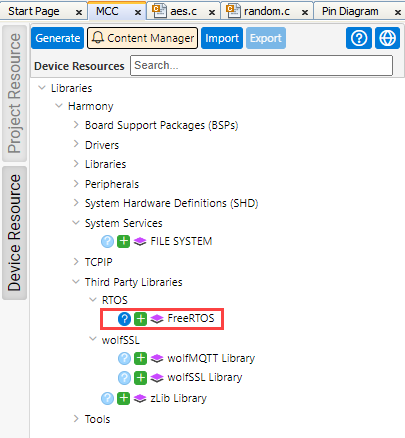
- Add the “FreeRTOS” library to your project.
- Go to the “Device Resources” tab.
- Double-click “Harmony”.
- Double-click “Third Party Libraries”.
- Double-click “RTOS”.
- Click on the “+” icon to add
“FreeRTOS”.
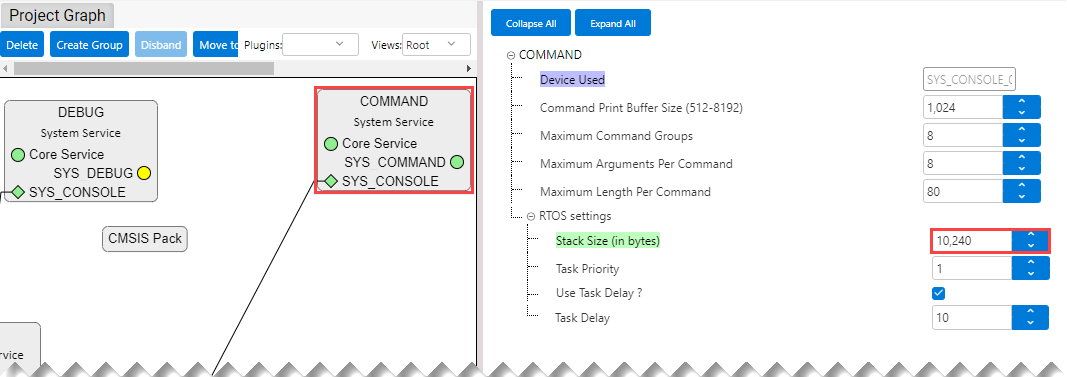
- In the “Project Graph” window:
- Select “Root” from the “View” drop-down menu.
- Select “Command”.
- In the “Configuration Options”
window, set the “Stack Size (in bytes)” to “10240”.
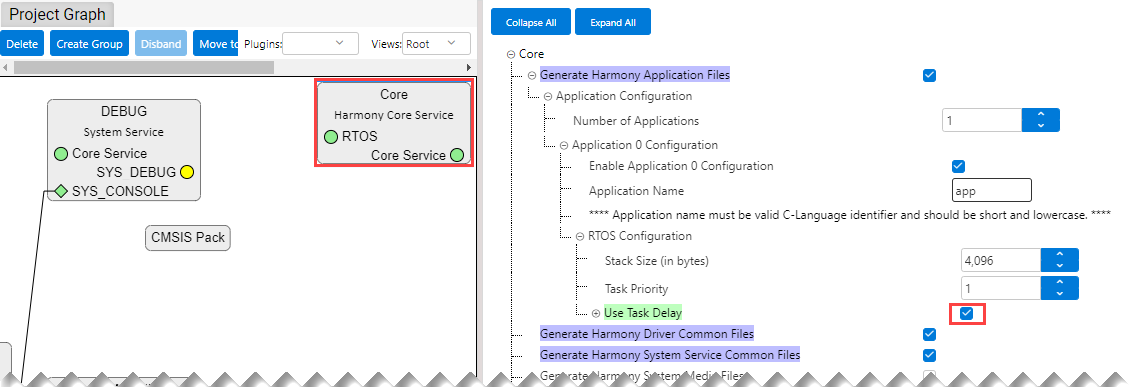
- Configure “Core” as shown below.
- Configure FreeRTOS as shown
below.: Ensure “Include xTaskGetCurrentTaskHandle” is enabled.
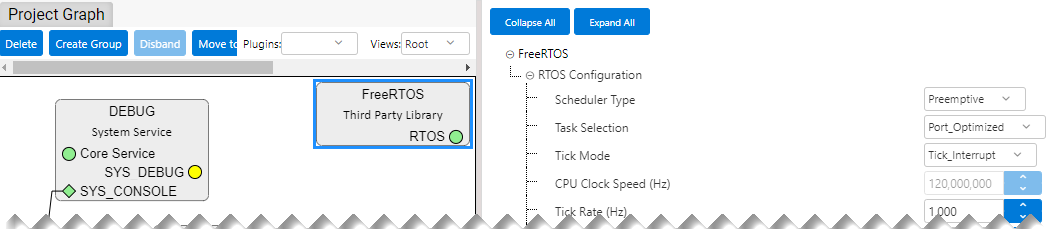
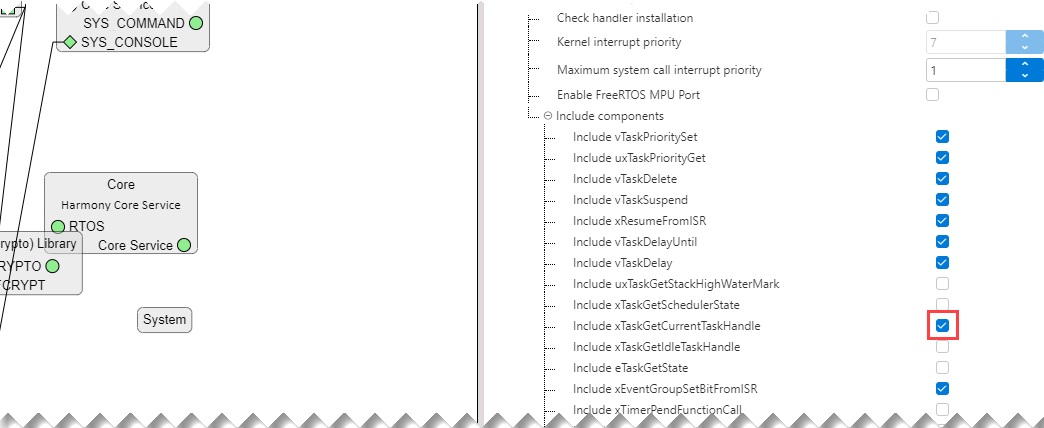
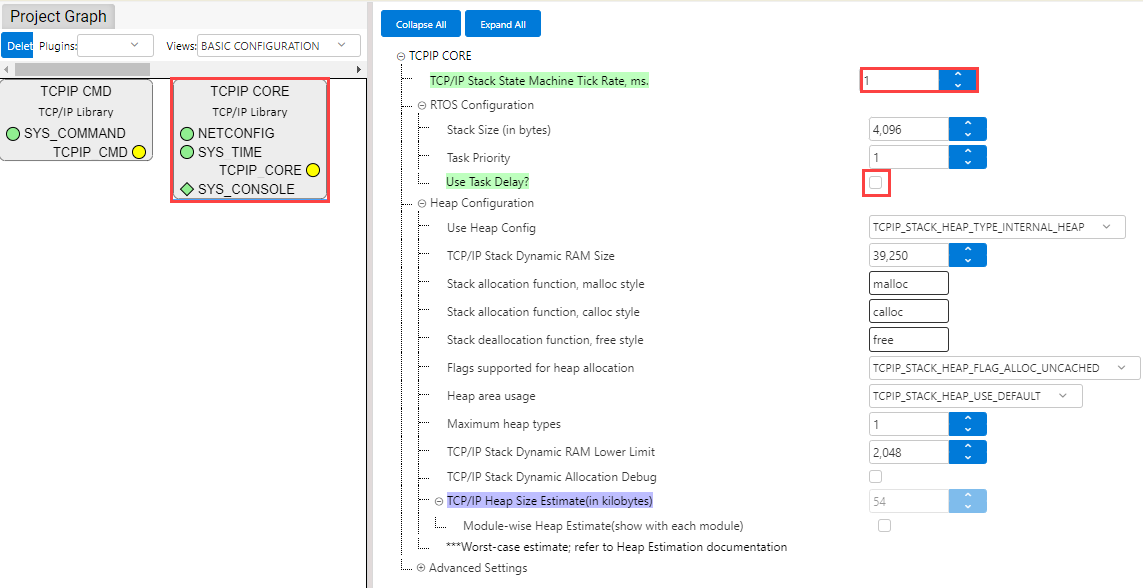
- Configure “TCPIP Core” as shown
below. In the “Project Graph” window:
- Select “BASIC CONFIGURATION” from the “View” drop-down menu.
- Select “TCPIP CORE”.
- Make settings as shown
below.