2.3.7.2 eNVM Client Configuration (For PolarFire SoC and RT PolarFire SoC FPGA Only)
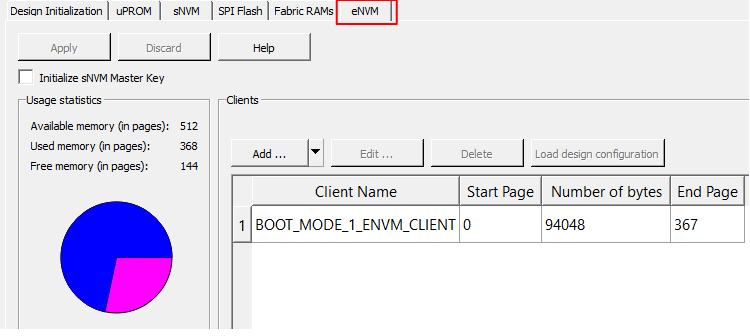
(Ask a Question)If eNVM is selected as the storage type, the initialization client is added to the eNVM tab as shown in the following figure. Once the initialization client is added to the eNVM, double-click Generate Bitstream from the Design Flow tab.
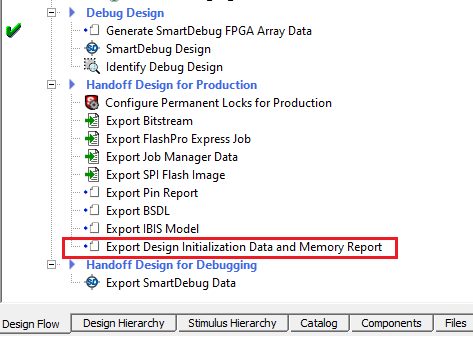
Double-click Design Initialization Data and Memory Report to generate the report. See the following figure.
Right-click BOOT_MODE_1_ENVM_CLIENT and select Edit to edit the Plaintext Boot Mode 1 client as shown in the following figure.
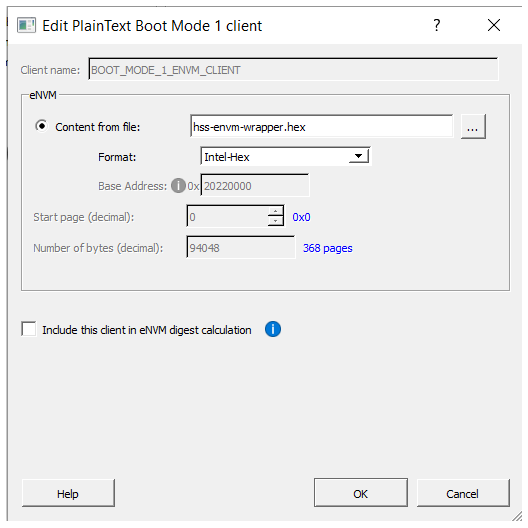
Important: Select Include this client in
eNVM digest calculation option if the client is updated
through bitstream; JTAG, SPI Slave, and SPI Master Programming.
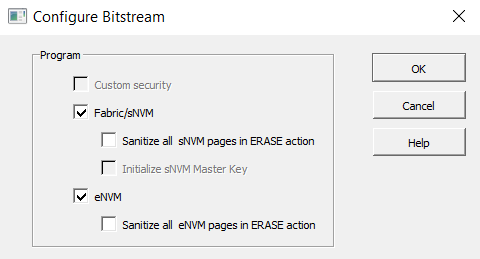
The following figure shows the Configure Bitstream dialog, which is updated as per the eNVM configurations.