
13.31.6 Creating a Programming Database (PDB) File in Designer
The programming database (PDB) file supports IGLOO, ProASIC3, SmartFusion and Fusion devices only. This allows reconfiguration of the security settings, FlashROM, FPGA Array, and Embedded Flash Memory Blocks. You create the file in Designer using FlashPoint and you modify the file in FlashPro.
You must create programming files for SmartFusion in FlashPro; see the Generate a Programming File for SmartFusion topic for more information.
- From the Designer main window, click the
Programming File button. This brings up FlashPoint (see figure below).
Figure 13-120. FlashPoint Programming File Generator - PDB File 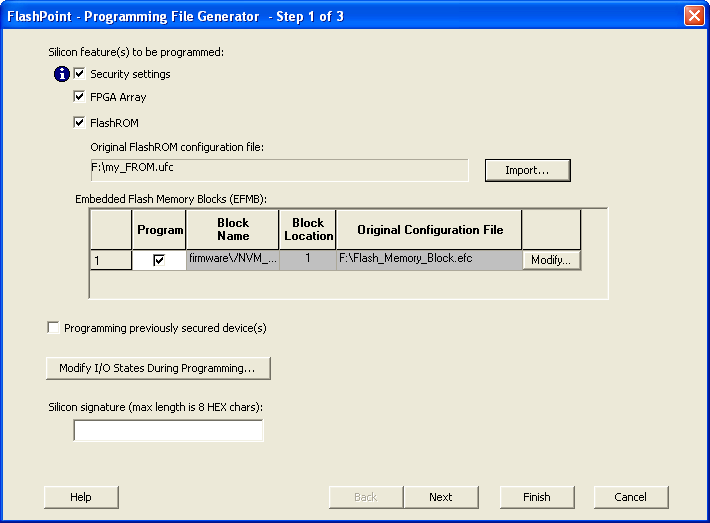
- Select the silicon feature(s) to be programmed: Security Settings, FPGA array, FlashROM, and Embedded Flash Memory Block. If you are programming a previously secured device, check the Programming previously secured device(s) and enter the silicon signature.
- Click Finish to create the PDB file.