13.31.2 Generate a Programming File for SmartFusion
You can configure and generate a new PDB file from FlashPoint.
If you are using Single Mode, click Create to add a new PDB, or click Modify to make changes to a loaded PDB.
In Chain Mode, if you have not already done so, construct a chain and click Create PDB to create a new PDB for programming, or click Modify PDB to make changes to a loaded PDB.
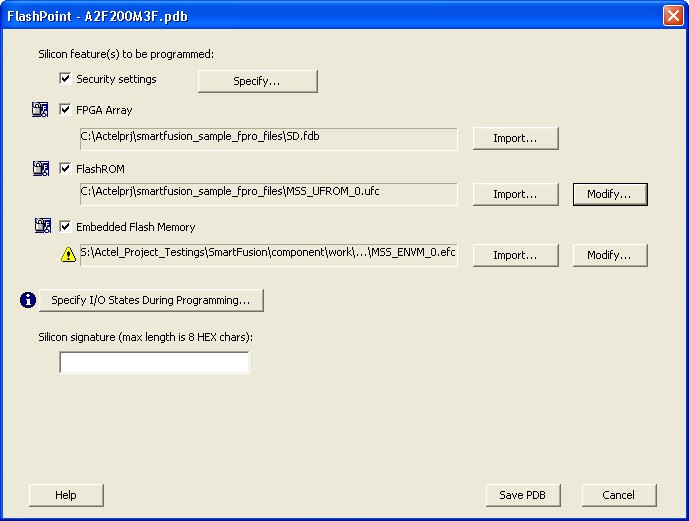
FlashPoint enables you to specify your security settings and silicon features when you generate your programming file in SmartFusion. You can specify your FPGA Array, FlashROM, and Embedded Flash Memory by importing FDB, UFC and EFC files, respectively (as shown in the figure below). If you have imported a FlashROM and Embedded Flash Memory file you can click Modify to configure these feature before saving your PDB file.
Click Specify I/O States During Programming to set custom I/O states.