
9.6.10.2 Loading a Programming File
You can either load a programming file from the Configuration menu or from the Single Device Programming
Window. The section below describes how to load a programming file from the Single Device Programming Window.
To Load a programming file from the Single Device Programming window:
- From the View menu, choose Single Device Configuration to activate the Single Device Configuration
Window.
- Click the Browse button in the Single Device Configuration Window (see figure below).
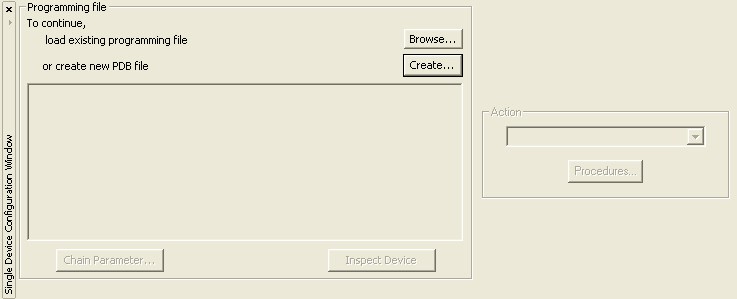
Figure 99 · Signal Device Configuration Window
The Load Programming File dialog box appears.
- Navigate to your programming file, select it, and click Open. The programming file is loaded and the Single Device Configuration Window updates.