
22.13.8 Adding/Removing Sets with Keywords
The Advanced tab in the Add Set dialog box enables you to use keywords (macros that represent various sets of terminals) to create a set. You must Commit your changes in the main window to save your constraints.
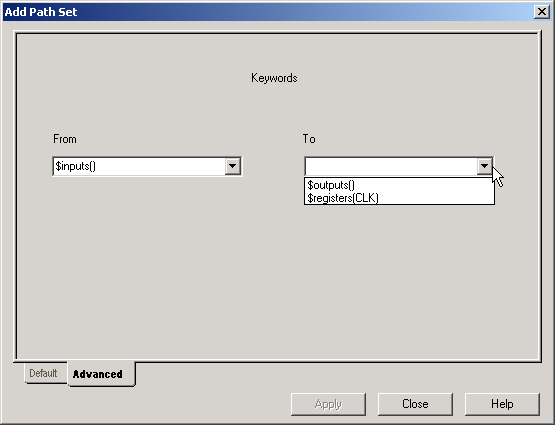
Keywords for the SX, MX, 3200DX, ACT3, ACT2, and ACT1 families are explained in the Keyword Filters section.
Supported keywords include:
$inputs()- All input and bidirectional pins.$outputs()- All output and bidirectional pins.$registers(clock_name)- The pins of all registers driven by the clock whose name is clock_name.
To create a set using keywords:
- Click the Paths tab.
- From the Edit menu, choose Add Set of Paths.
- Click the Advanced tab.
- Enter the From keyword or select a keyword from the From drop-down list box to define the From set.
- Enter the To keyword or select a keyword from the drop-down list box to define to set.
- Click OK. This displays paths for the keyword set in the Paths tab.