
13.7.6 Catalog
The Catalog displays a list of available cores, HDL templates, busses, and Microchip macros (see the following figure).
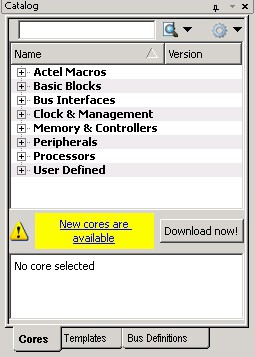
From the Catalog, you can create a component from the list of available cores, add a CoreConsole processor or peripheral, add HDL source code to your text editor with the HDL templates, Adding Bus Interfaces to SmartDesign Components, or add an Microchip macro to your SmartDesign component. Double-click a core to configure it and add it to your design. Configured cores are added to your list of Components/Modules in the Design Explorer.