
1.4.1 Analog System Client
You can load the configuration file generated by the Analog System Builder into the Flash Memory System Builder. Once loaded, all the analog system components can be initialized by the Flash Memory System at start up.
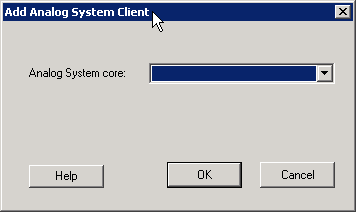
The Add Analog System Client opens with a blank field for the Configuration file. The Modify Analog System Client opens with the field filled in. Click the dropdown menu and select your Analog System core from the list.
Note: Initialization of the Analog System must occur at less than 10 Mhz; the Analog
Configuration MUX (ACM) inside the Analog Block runs at a maximum of 10 Mhz. The ACM contains
the configuration data for the Analog channels. If you initialize at more than 10 MHz, you
will overload the MUX.
Note: If necessary, a PLL and NGMUX can be used in conjunction to support driving the Analog
System at a slow initialization frequency and a fast operating frequency.