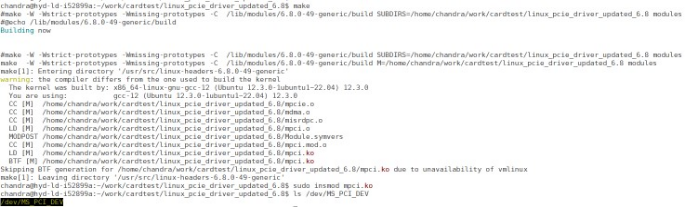
Enter the make command on Linux Command Prompt to compile the Linux PCIe device driver code.
#make clean [To clean any *.o, *.ko files]
#make
The kernel module mpci.ko
is created in the same directory.
Enter insmod command to insert the Linux PCIe
device driver as a module.
sudo insmod mpci.ko
Important: Root privileges are required to execute this command.
The following figure shows the PCIe device driver installation.Figure 4-21. PCIe Device Driver
Installation
The online versions of the documents are provided as a courtesy. Verify all content and data in the device’s PDF documentation found on the device product page.