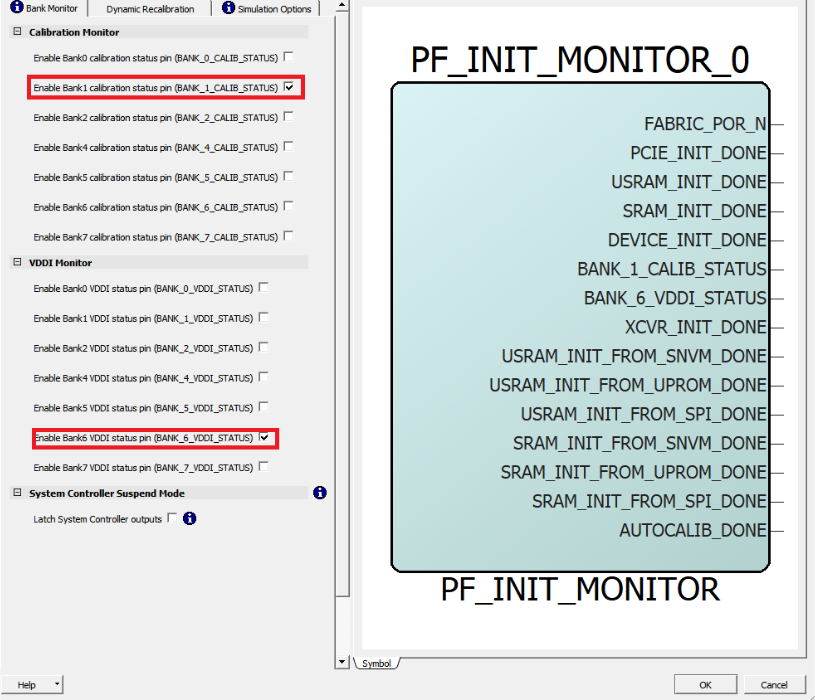
2.3.5 Instantiating PolarFire Initialization Monitor
(Ask a Question)The PolarFire Initialization Monitor is used to get the status of device initialization including the TCM initialization. To instantiate the PolarFire Initialization Monitor:
- From the Catalog, drag the PolarFire Initialization Monitor core to SmartDesign.
- In the Create Component dialog box, enter INIT_Monitor as the component name, and then click OK.
- In the tab, clear all the check boxes under Calibration Monitor except for BANK_1_CALIB_STATUS.
- In the tab, clear all the check boxes under VDDI Monitor except for BANK_6_VDDI_STATUS, and then click OK.