
5.18.6 Net-Instance View
The Net-Instance view is a simplified version of the Instance-Instance view. Instead of an expandable list of every instance in your SmartDesign, the Display panel lists only the net names that are connected to an instance. This view is useful if you wish to see which nets are connected to an instance without changing your settings in the Instance-Instance view. The Display and Connection panels in the Net-Instance view behave the same in both views.
The default Display panel in Net-Instance view lists the nets in your design; the default Connection panel lists all instances (see the figure below).
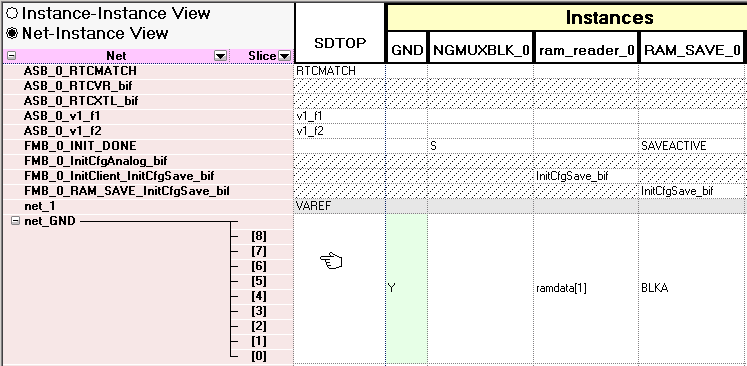
To switch to Net-Instance view, click the Net-Instance radio button. To reset to the default view, from the Grid menu, choose Reset Net View to Default.