
5.18.4 Making Connections using the Grid
To make connections between ports on two instances:
- Click in the intersection between the port (row) and the instance (column). SmartDesign displays a drop-down list of compatible ports from the instance on the column area.
- Select the desired port to make the connection.
In the figure below, the port SYS_RESET from the instance Top is being connected to port
Aclr in the instance Count8_0. Note that the unconnected ports are shown in white.
Figure 5-45. Making Connections Between Two Ports on Two Instances 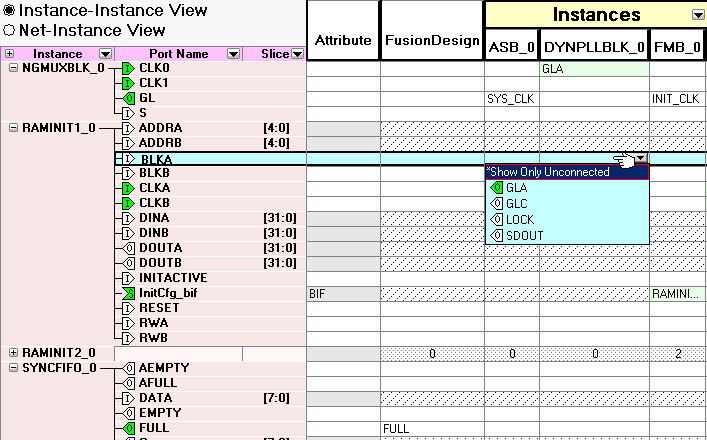
- To disconnect an existing connection, click in the intersection between the port and the instance and choose Disconnect.