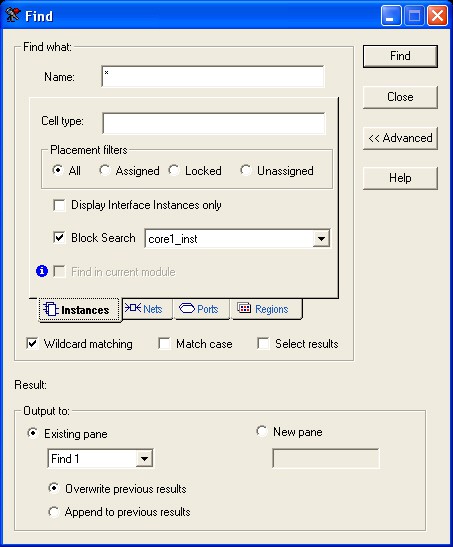
15.2.6.1 Creating Multiple Searches
You can create multiple types of searches and save the results by creating panes. A pane contains the results of a Find operation and appears in the Log window.
To create a new pane in the Log window:
- Click Advanced to display more options.
- Select the New pane option in the dialog box, and then type a name for it in the text box below it.
- Perform your search. The results of your search appear in the new pane in the Log window. Also, the name of the new pane appears in the drop-down list below the Pane option.
- Before you use a saved search, select
whether you want to overwrite your previous results or append the new results to the
previous one.
Figure 15-12. Find Instances/Advanced Dialog Box