
15.13.7 Logical Cones Tab
The Logical Cones tab displays a list of all Logical Cones that you created in your design
A Logical Cone is a netlist view you create to contain only the objects you want to see, such as part of the netlist. You can create Logical Cones to help you navigate and analyze a specific part of the design.
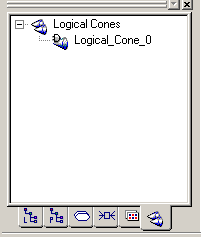
Use this view to display only a specific portion of the netlist. Select the objects of interest from the netlist in NetlistViewer and add them to a specific cone view.
Note: The Logical Cones view supports cross-probing. All commands for
creating a Logical Cone view are available from the LogicalCone menu in NetlistViewer
and from the NetlistViewer right-click menu.