
15.13.4 Ports Tab
The Ports tab shows all the input, output, and bidirectional ports in your design.
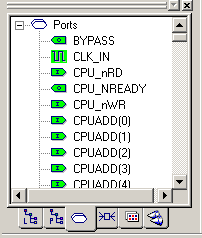
When you select a port in this view, the port is selected in all other views where it appears.
In this view, you can assign a port to an I/O region or location, lock an assigned port, and unlock a locked port.
Note: You can only lock ports that are currently assigned to a
location. Block ports have a plus sign (+) in front of them to indicate that they can be
expanded to show connected ports and instances.