
15.13.5 Nets Tab
The Nets tab displays the nets that connect two or more nodes in your design. The symbol to the left of the net indicates the type of driver. A checkmark appears next to a net that is assigned to a LocalClock region.
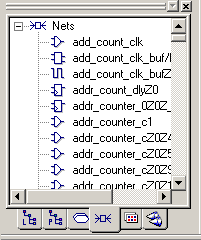
When you select a net in this view, the net is selected in all other views where it appears.
In this view, you can right-click a net and select Properties to display its properties (name, type, location, status, and PinList).
To display a net's properties:
- Click the Nets tab in the Hierarchy window.
- Select a net, right-click, and then choose Properties from the right-click menu.
- In the Net Properties dialog box, click Routing to see routing details or PinList to see the names and locations of the pins.
- Click Close to close the dialog box.