
19.2 Components of PinEditor (non-MVN)
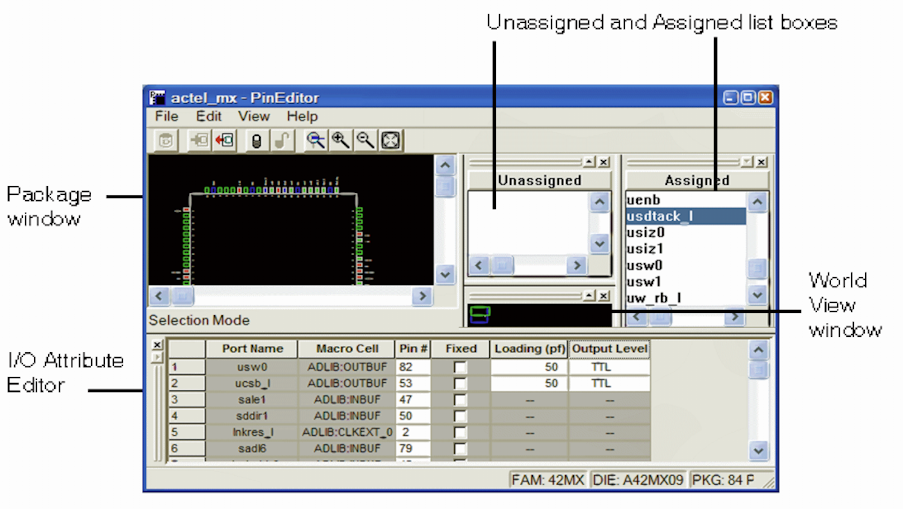
The PinEditor interface is divided into five windows:
- Package window - view your design elements
- Assigned list box - displays macros currently assigned to pins
- Unassigned list box - displays unassigned macros
- World view window - select the area of the design to display in the Package window
- I/O Attribute Editor - view, sort, select, and edit I/O attributes
These windows are highly integrated; anything selected in one is selected or highlighted in all. Commands are accessible from the menu bar and frequently-used commands are on the toolbar.
All the windows and toolbars are independently sizeable, dockable, and closable. To redock or refloat a window, double-click the window’s title bar.
Note: On UNIX systems, floating windows are not sizeable once
undocked, and the I/O Editor does not float.