22.12.2 Changing and Displaying Paths
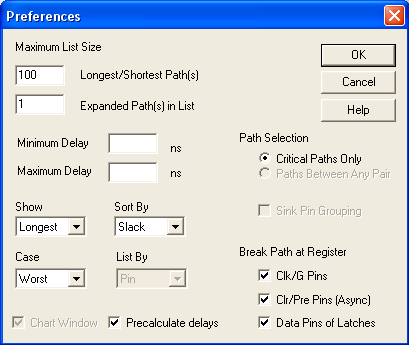
Use the Preferences dialog box to control the number of paths displayed in the Paths tab, Expanded Paths window, and Timing Report.
To change the number of paths that Timer displays:
- From the File menu, choose Preferences. The Preferences dialog box appears.
- In the Maximum List Size area, enter your default preferences
for the maximum number of Longest/Shortest Path(s) and
Expanded Path(s) that you want to display.
The value for Longest/Shortest Path(s) is set to 100 by default; you can modify the value if you wish to see more paths in your report. However, the higher the value the longer it takes to invoke Timer.
- Click OK.