9.13.2 Generate a Programming File for SmartFusion®
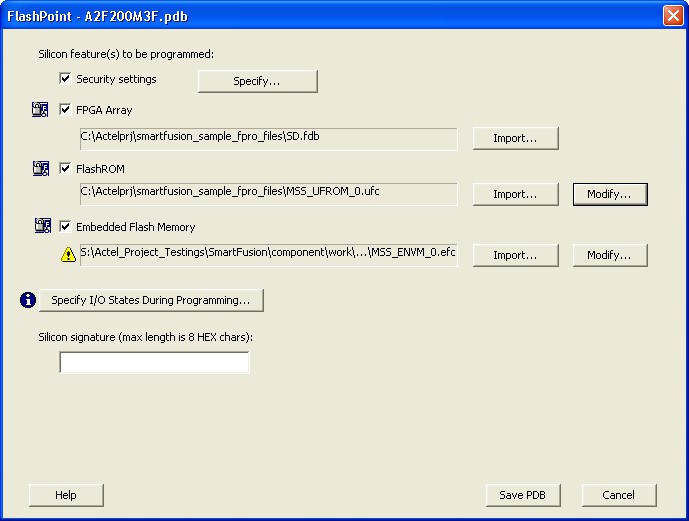
You can configure and generate a new PDB file for SmartFusion® devices using FlashPoint.
When using Single Device Programming mode, click Create to add a new PDB file, or click Modify to make changes to a loaded PDB file.
When using Chain Programming mode, first construct the programming chain if it has not already been created. Then click Create PDB to generate a new PDB file for programming, or click Modify PDB to make changes to a loaded PDB file.
FlashPoint allows you to specify security settings and select silicon features when
generating a programming file for SmartFusion devices. You can include the following features
by importing the corresponding files:
- FPGA Array, using an FDB file
- FlashROM, using a UFC file
- Embedded Flash Memory Block, using an EFC file
If FlashROM or Embedded Flash Memory files are imported, click Modify to configure these features before saving the PDB file.
Click Specify I/O States During Programming to define custom I/O states during programming.
Note: An FDB file must be imported to populate the Port Name and
Macro Cell columns.