
5.30.30.1 General
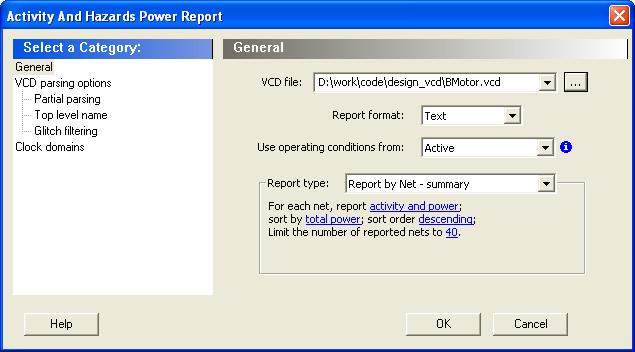
VCD file – Select the VCD file you want to import.
Report format – Select Text or CSV (Comma Separated Value) as the desired export format.
Use operating conditions from – Select the mode from which the operating conditions will be used.
Report type – Select the report type:
- Report by net – summary: summary report by net
- Report by net – detailed: detailed report by cycle
- Report by cycle – summary: summary report by net
- Report by cycle – detailed: detailed report by cycle
The selected report type reports activity and power for each net sorted by power in descending order and limits the number of reported nets to 20 by default. To change these options, click each option and from the pop-up menu, select the desired option:
- Report: Select the query report type: activity, power, or activity and power.
- Sort by: Select the query sort by functional power, functional transitions, spurious power, spurious transitions, or total power.
- Sort order: Select the query sort order: ascending or descending.
- Limit the number of reported nets: Enter the query filter limit.