
15.3.6 Identifying Paths
You can use NetlistViewer with SmartTime to identify the signal path or individual instances. For more information about SmartTime, see the SmartTime online help. For more information about SmartTime, see the SmartTime User's Guide.
To identify paths:
- In the Design Flow window,
click NetlistViewer to display your netlist.
Figure 15-23. Displaying the Netlist in NetlistViewer 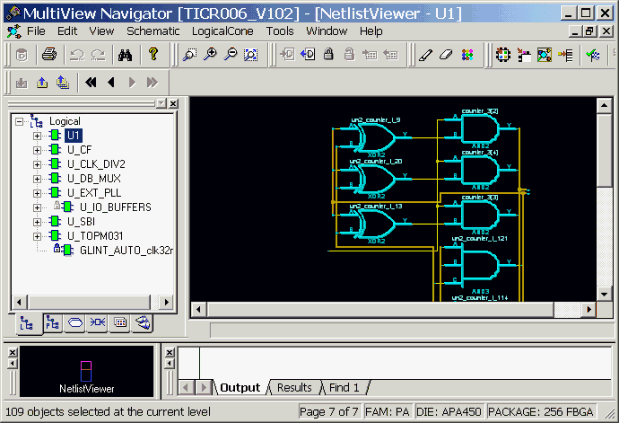
- In the Design Flow window, click Timing Analyzer to display the SmartTime Timing Analyzer.
- In the SmartTimeTiming Analyzer, select the clock domain in the Domain Browser.
- Select a set in the Paths List and
the paths within that set are displayed in the Path Details (lower table). The Paths
List displays timing information for various categories.
Figure 15-24. Select a Clock Domain and a Set of Paths 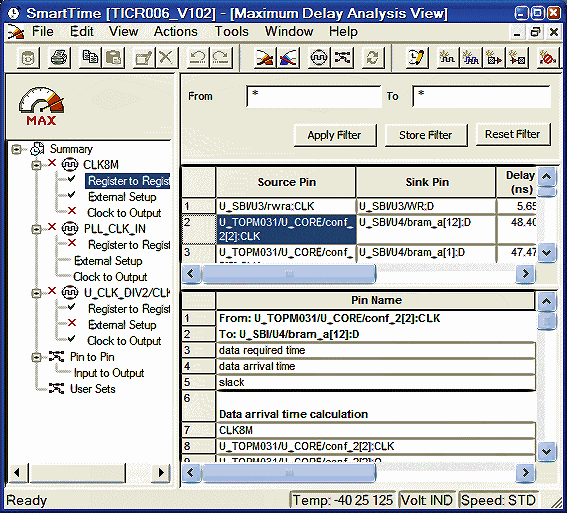
- Select the path to cross probe.
- Right-click on the selected path, and
choose Cross-probe selected paths from the right-click
menu.
Figure 15-25. Cross-probe the Selected Paths 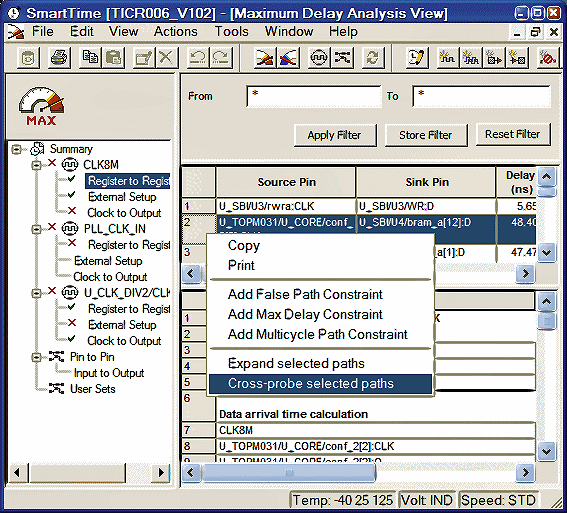
All objects in the selected path appear highlighted in NetlistViewer.
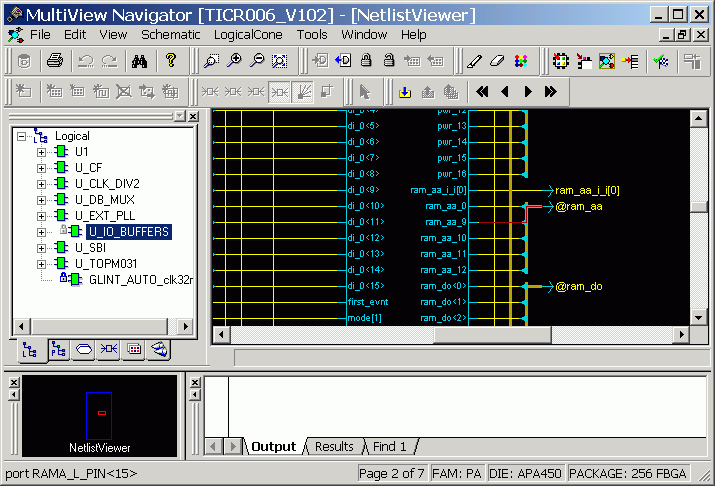
Note: You can create a Logical Cone window to view a specific path. A
logical cone is a view of a specific part of your design. See "Managing Logical Cones"
and "Creating a Logical Cone" in this guide.