
9.4.1.2 Programming a Device
After loading the PDB file, you are ready to program the device.
To program a device:
- From the Action list,
select Program.
Figure 9-19. Selecting Program from the Action List box 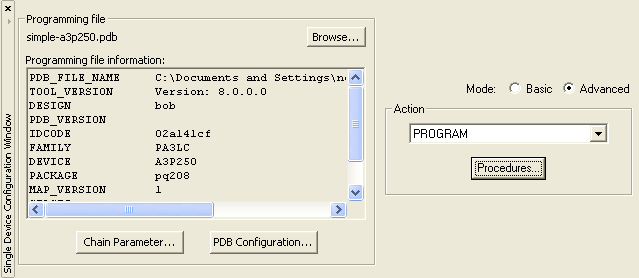
- Click the Procedures button.
Figure 9-20. Procedures Button 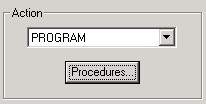
- The Select Action and Procedures dialog box appears, showing the
procedures available for the Program action.
Figure 9-21. Select Action and Procedures Dialog Box 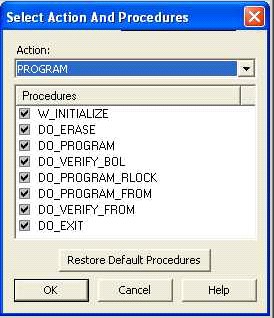
- Click the Restore Default Procedures button.
- Click the Program button to begin programming the device.
- The Programmer List window updates the Programmer
Status column to show Run Passed, indicating that the
device was programmed successfully.
Figure 9-22. Successfully Programmed Device 
Note: During programming, the status indicator updates to show progress. When the operation
completes, the status changes to indicate a pass or fail result.
After programming completes, review the Log window to view details about the programmed device.