9.4.1 Single STAPL/PDB File Basic Tutorial
This section provides step-by-step instructions to familiarize you with the basic features of the FlashPro® software, specifically how to program a device. For more detailed step-by-step instructions and help with advanced features of the software, please see specific topics in the online help.
Note: This tutorial assumes that the latest version of FlashPro software is installed and that
the application has been launched.
First, create a new project named Tutorial. If FlashPro is launched from the Libero IDE, a new project is created automatically, and a PDB or FDB file is loaded if available.
To create a project:
- Click the New Project button in FlashPro.
- In the New Project dialog box, enter Tutorial in the Project Name field.
Figure 9-16. New Project Dialog Box 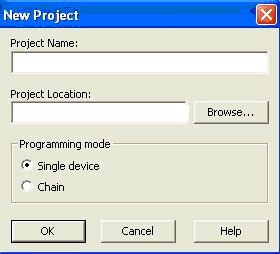
- If necessary, change the default project location in the Project Location field.
- Select the Single Device Programming mode.
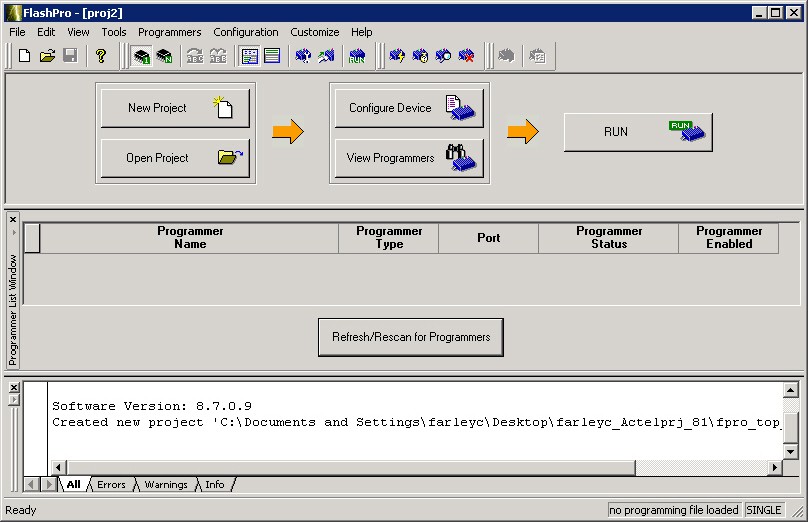
- Click OK. The FlashPro graphical user interface displays, and
the Programmer List window updates with the connected programmer information.
Figure 9-17. FlashPro Main Window