13.29.27 I/O Bank Reports
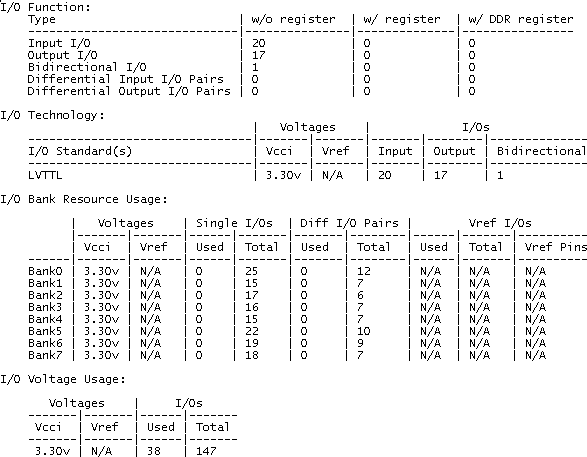
The I/O Bank report provides information about the I/O functionality, I/O technologies, I/O banks and I/O voltages.
To generate the I/O bank report:
From the Tools menu, choose Report > IOBank. The IOBank report opens in a separate window. You can save or print the report.
The following section shows an excerpt from the I/O Bank report: