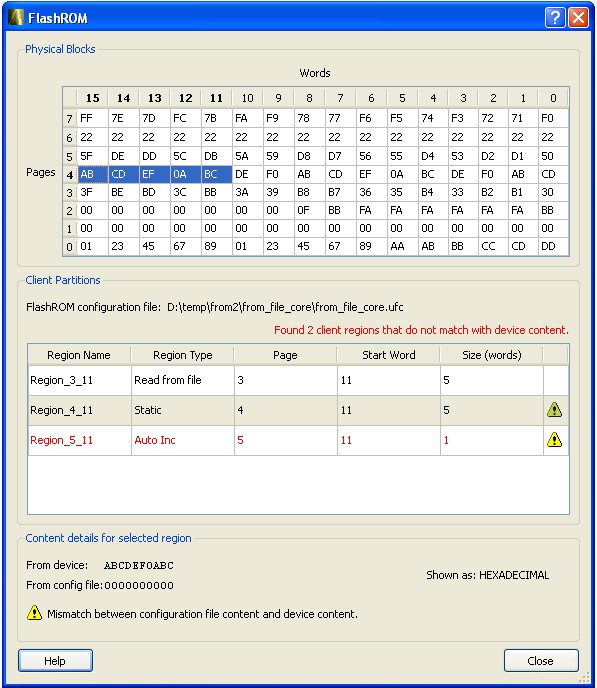
Enables you to view the physical blocks in your FlashROM and the client partitions specified in the original design content (requires a PDB that contains your UFC data). If the project’s PDB does not contain UFC data, only the physical blocks are displayed.
Scroll through the table to view the Words and Pages for your physical blocks.
The Client Partitions section lists the names and configuration details of the clients set up in
the FlashROM Builder. It automatically finds all mismatched client regions. To view the
differences between a client and the device content, select a region row in the Client
Partitions table. This action will highlight the corresponding device content in the Physical
Blocks table. The mismatch details are displayed below the Client Partitions table.Figure 9-152. FlashROM Content Dialog Box
To copy to clipboard the content of the Physical Blocks table, select one or more cells in the table and type Ctrl+C.