9.22.4 Embedded Flash Memory (NVM) Content
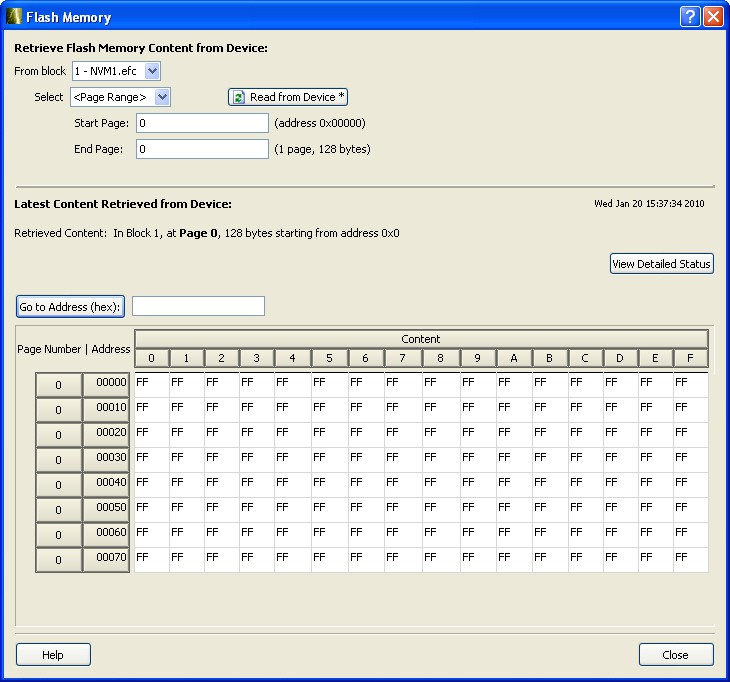
The NVM content dialog is divided into two sections. The top section shows the data that is retrieved from the PDB that you specified. The bottom section shows the data that is retrieved from the actual device. The View Flash Memory Content diagnostic enables you to:
- View content of Flash Memory pages.
- Compare device content with original design content (requires a PDB that contains your EFC data).
- Check page status and identify if a page is corrupted or if the write count limit has exceeded the 10-year retention threshold.
Choose your block from the From block dropdown list. This action populates the Select dropdown list with the names of the clients in the selected block that is configured in the Flash Memory System Builder.
Choose a client name from the Select dropdown list and click Read from Device to view the values. You can also view a specific page range in a block by selecting the <Page Range> option in the Select dropdown list and then specifying the start page and the end page.
You must click Read from device each time you specify a new page range to update the view.
If you do not have your original design programming database (PDB) file, then you can also examine and retrieve a range of pages. Specify a page range if you wish to examine a specific set of pages in the block.