Output propagation delay is affected by both the capacitive loading on the board and the I/O standard. The I/O Attribute Editor in ChipPlanner (PinEditor in the SX-A family) provides a mechanism for setting the expected capacitance to improve the propagation delay model. SmartTime automatically uses the modified delay model for delay calculations.
To change the output port capacitance and view the effect of this change in SmartTime
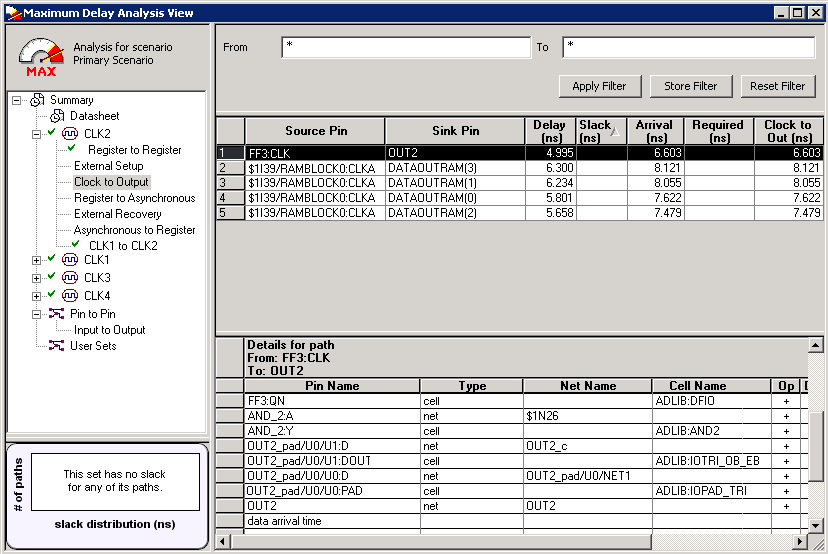
Timing Analyzer, refer to the following example. The figure below shows the delay from
FF3 to output port OUT2. It shows a delay of 6.603 ns based on the default loading of 35
pF.Figure 21-71. Maximum Delay Analysis View
If your board has output capacitance of 75pf on OUT2, you must perform the following steps to
update the timing number:
Open the I/O Attribute Editor and
change the output load to 75pf.Figure 21-72. I/O Attribute Editor View
Select File >
Commit.
Select File >
Close.
Open the SmartTime Timing
Analyzer.
You can see that the Clock to Output delay changed to 7.723 ns.