
21.9.2 Activating Inter-Clock Domain Analysis
To activate the inter-clock domain checking:
- In SmartTime, from the Tools menu choose Options. The SmartTime Options dialog box appears (as shown in the following figure).
- In the general category, check the
Include inter-clock domains in calculations for timing analysis.
Figure 21-59. SmartTime Options Dialog Box 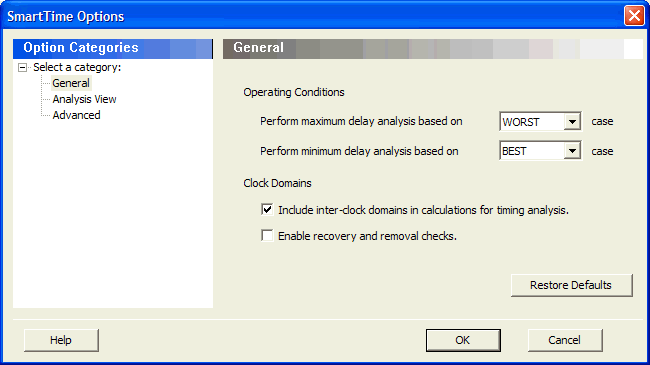
- Click OK to save the dialog box settings.