
9.22.14.1 Setting Log window preferences
From the Preferences dialog box, you can change the text color of the messages that appear in the Log window.
To set Log window preferences:
- From the File menu, choose Preferences.
- Follow the directions in the Color
Settings area or click the Restore Defaults button.
Figure 9-162. Preferences 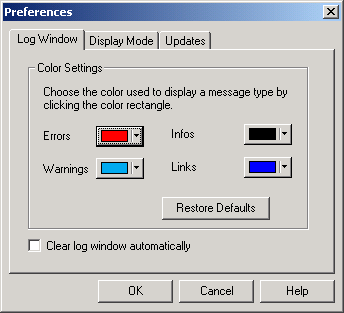
- Click OK to apply settings.
Note: You can clear the Log window by choosing Clear
Log window from the Edit menu or you can automatically
erase the information by checking the Clear Log Window Automatically
checkbox.