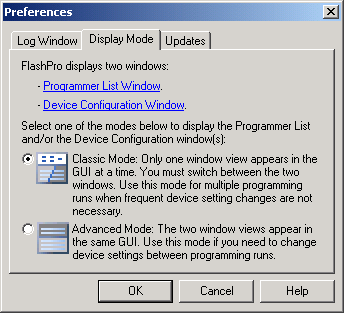
9.22.11.2 Display Mode
The Display Mode tab describes the two display modes available in the FlashPro® software. Read each option carefully and choose the mode that will meet your programming needs. As the Preferences dialog box indicates, the Classic Mode is designed for multiple programming runs when it is not necessary for you to change your device settings. The Advanced Mode differs from the Classic Mode because displays both windows (Programmer List and Device Configuration) in the same GUI. Use this mode when you need to change device settings frequently.