
21.6.1 Start the Tutorial
The tutorial example shows you step-by-step how to enter a clock constraint for the 16-bit Counter shown below:
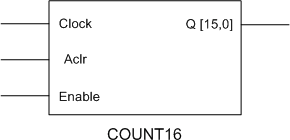
Figure 4 · 16-bit Counter
Using the SmartTime tool, you will learn how to:
- Create and apply a clock constraint to your design
- Add an input delay constraint
- Add an output delay constraint
- Commit your changes to the design
- Analyze maximum delay results using the SmartTime Timing Analyzer
- View register-to-register paths
- View external setup paths
- View clock-to-port paths
To open the tutorial file:
- Download the tutorial design named Count16.adb
from http://www.actel.com/download/onlinehelp/count16.adb.
- From the Start menu, choose Designer. In the Open dialog box, open the file named count16.adb.
- Enter the following information in the Device Selection Wizard:
- Die: APA075
- Speed: STD
- Die Voltage: 2.5 V
- Package: 208 PQFP
3. Compile (click Compile, use the default Compile Options) and Layout (default options) your design. Refer to Compile and Layout for more information.
You are ready to create your clock constraints.