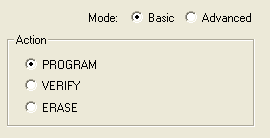
You can select actions from the Basic mode and the
Advanced mode. The Basic mode is provided for
users that only require the Program, Verify and
Erase actions. In Basic mode, other actions
are not visible, and the Procedures run by an
Action cannot be modified.Figure 9-169. Basic Mode
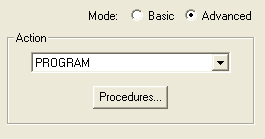
The Advanced mode enables you to select an action and modify the procedures for the selected
action. In Advanced mode, actions are determined by the stapl standard used.
Figure 9-170. Advanced Mode
To select an action (Advanced Mode):
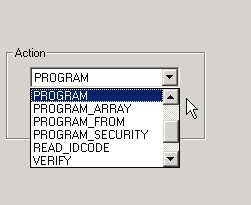
Click the down arrow in the Action menu
and select and action.Figure 9-171. Action Menu
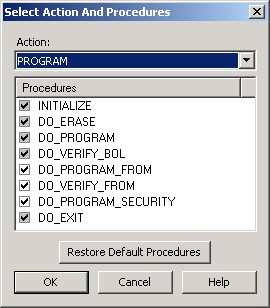
Click the Procedures button. The
Select Action and Procedures dialog box appears.Figure 9-172. Select Action And Procedures Dialog Box
Select a procedure or click the Restore
Default Procedures button. Gray checkboxes indicate that the procedure is mandatory.
Note: The procedures in the Select Action And Procedures dialog box are determined by the
STAPL standard. The Recommended procedures are selected by default and the Optional
procedures are unselected by default.
Click OK.
Note: You can also click the Select Action and Procedures dialog box from the toolbar.