
21.8.7 Displaying Expanded Path Timing Information
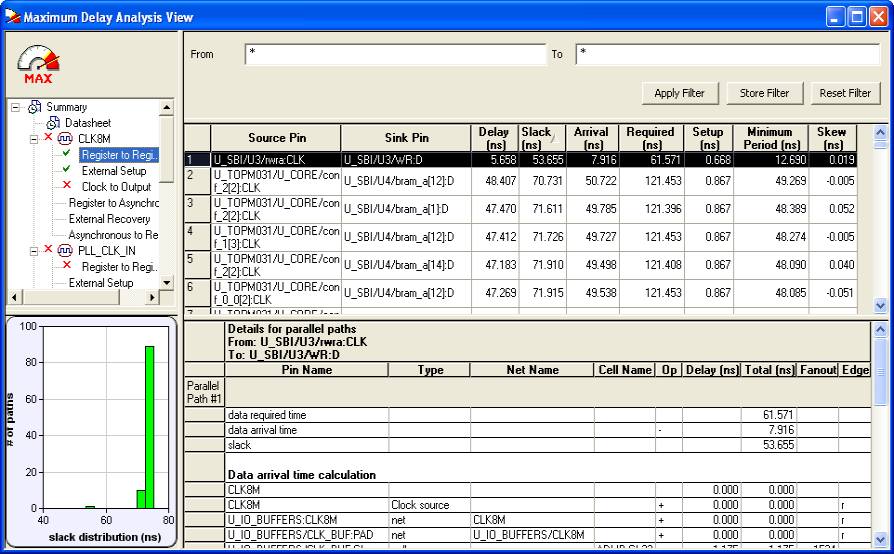
The Path List displays all parallel paths in your design. The Path Details grid displays the path details for all parallel paths.
To display the Expanded Path View:
From the Path List: double-click the path, or right-click a path and select expand selected paths. From the Expanded Path View: double-click the path, or right-click the path and select expand path.
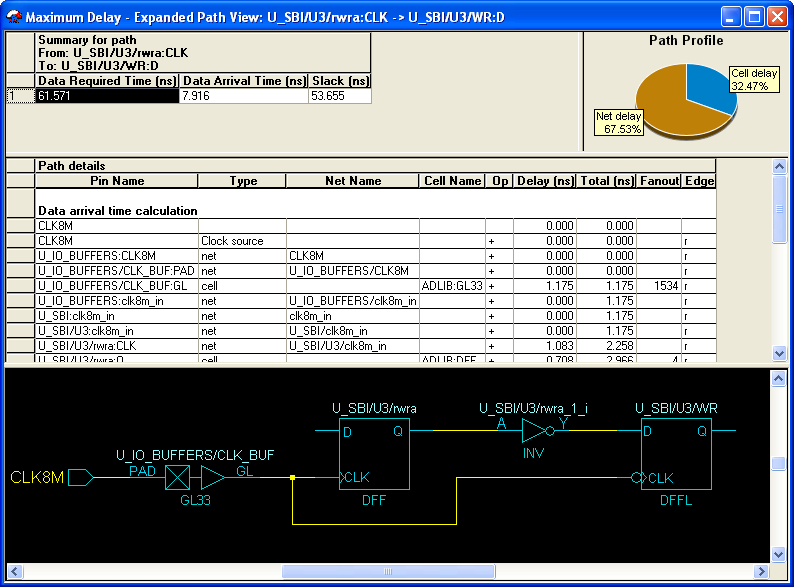
The Expanded Path Summary provides a summary of all parallel paths for the selected path. The Path Profile chart displays the percentage of time taken by cells and nets for the selected path. If no parallel path is selected in this view, the Path Profile shows the percentage for all paths. By default, SmartTime only shows one path for each Expanded Path. You can change this default in the SmartTime Options dialog box.
The Expanded Path View also includes a schematic of the path and a path profile chart for the paths selected in the Expanded Path Summary.