
21.8.3 Performing a Bottleneck Analysis
To perform a bottleneck analysis
- From the SmartTime Tools menu, select . The Timing Bottleneck Analysis Options dialog box appears.
- Select the options you wish to display and click OK.
The Bottleneck Analysis View appears in a separate window (see the
following figure).Figure 21-42. Bottleneck Analysis View
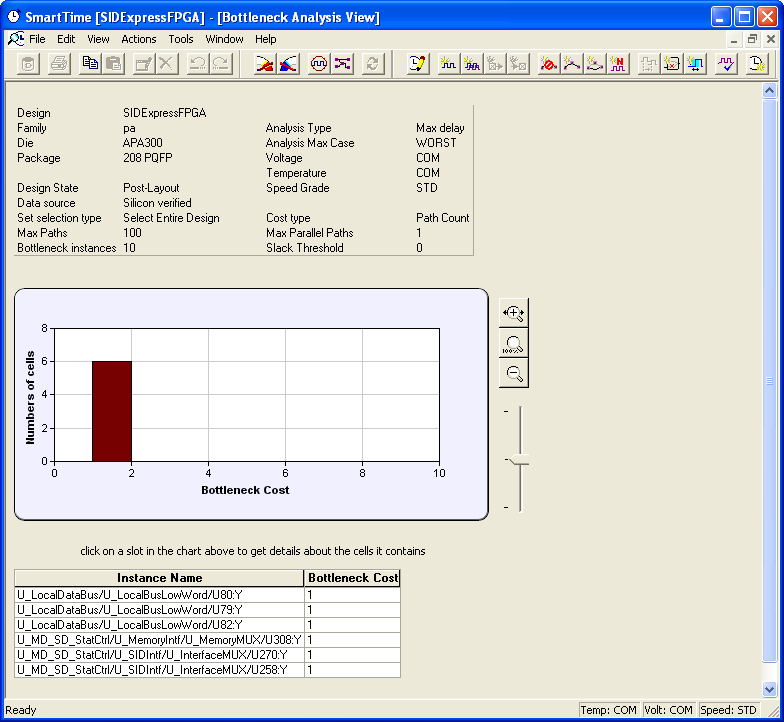
A bottleneck is a point in the design that contributes to multiple timing violations. The
Bottleneck Analysis View contains two sections
- Device Description
- Bottleneck Description