
21.7.12 Specifying an Output Delay Constraint
Use the output delay constraints to define the output delay of an output relative to a clock.
To specify an output delay constraint:
- Add the constraint in the editable constraints grid or open the Set
Output Delay Constraint dialog box using one of the following
methods:
- From the SmartTime Actions menu, choose Constraints > Output Delay.
- Click the
 icon.
icon. - Right-click the Output Delay in the Constraint Browser.
- Double-click any field in the Output Delay Constraints grid.
The Set Output Delay Constraint dialog box appears.Figure 21-38. Set Output Delay Constraint Dialog Box 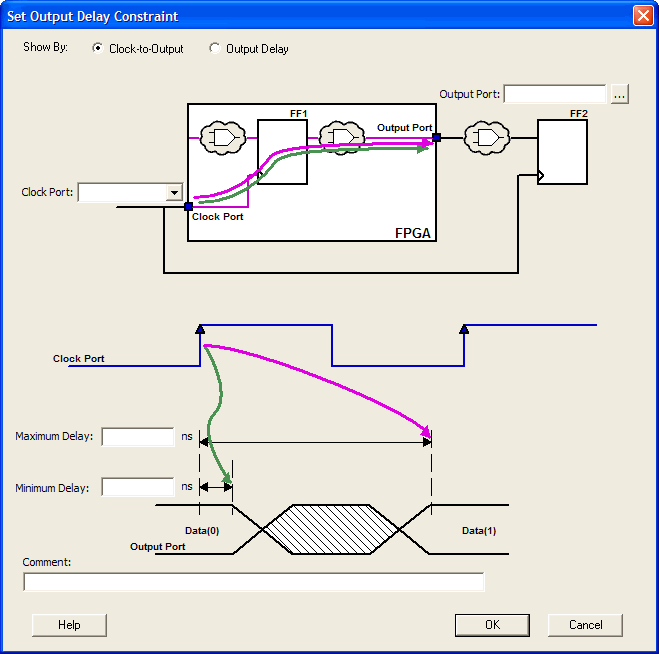
- Specify either Clock-to-Output or Output
Delay.
- Clock-to-Output enables
you to enter an output delay constraint by specifying the timing budget
inside the FPGA. This is the default selection.Note: The Minimum Delay value is currently used for analysis only and not by the optimization tool.
- Output Delay enables you
to enter an output delay constraint by specifying the timing budget
outside the FPGA. You can enter either the Maximum Delay, the Minimum
Delay, or both.Note: The Minimum Delay is currently used for analysis only and not by the optimization tools.
- Clock-to-Output enables
you to enter an output delay constraint by specifying the timing budget
inside the FPGA. This is the default selection.
- Enter the name of the
Output Port or click the Browse button to display the
Select Ports for Output Delay dialog box.
Figure 21-39. Select Ports for Output Delay Dialog Box 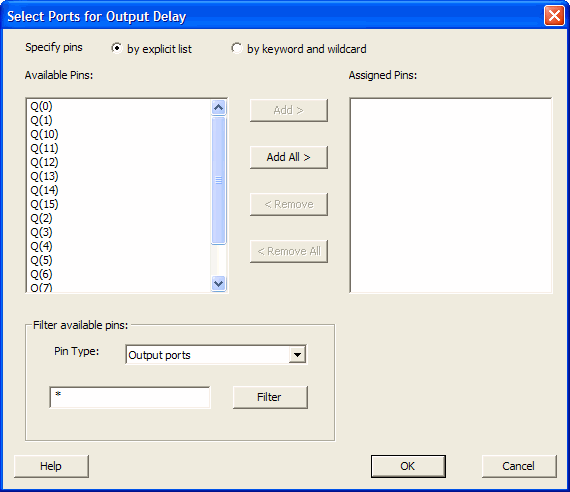
- Select the output pin(s) from the Available Pin list. Choose the Pin Type from the drop-down list. You can use the filter to narrow the pin list. You can select multiple ports in this dialog box.
- Click Add or Add All to move the output pin(s) from the Available Pins list to the Assigned Pins list.
- Click OK. The Set Output Delay Constraint dialog box displays the updated representation of the Output Port graphic.
- Select a clock port from the Clock Port drop-down list.
- Enter the Maximum Delay value.
- Enter the Minimum Delay value.
- Click OK. SmartTime adds this constraint to the Constraints List in the Constraints Editor.