
13.33.232 Page Setup Dialog Box
Use this dialog box to format your page header and footer. The default displays your project file name in the header and the page number of the total number pages (such as "1 of 4") in the footer.
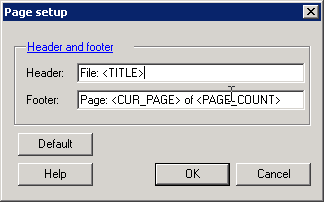
You can add additional information about your project, such as a project description, the names of team members, or the date you started. To do so, type the information into the Header (or Footer) field.
The Default button resets the fields to their original settings.